
Rust
Morphine Rust External
External Rust cheat with detailed ESP, base and raid awareness, farming ESP and movement features.
GameRust
PlatformWindows PC
DeliveryInstant, digital
LicensePer duration or lifetime
Using a cheat or mod menu can get your game account banned. Read Ban risk before you buy.
Features
Aimbot
- Smoothing, silent aim and visibility checks
- Bone selection and hitbox override
- Draw FOV and target lines
- No recoil and no spread
- Fast and thick bullet, always shoot
- Insta-Eoka, Insta-Bow, Insta-Compound Bow
Player ESP
- Boxes, skeleton, visible-only filter
- Teammates, sleepers and wounded
- Names, distance and team ID
- Held items, hotbar and clothing viewer
- Reload bar and out-of-FOV indicators
- Built-in radar
Chams
- Player, weapon and hand chams
- Target info overlay and crosshair
Base & raid
- Tool cupboards, sleeping bags, workbenches
- Turrets, SAM sites, gun traps, land mines
- Raid ESP and raid timer
Loot & farming
- Dropped items, corpses and backpacks
- Sulfur, metal and stone nodes, hemp, crates
Vehicles & NPCs
- Minis, scrap helis, bikes, horses and boats
- Animals, scientists, Bradley, Chinook and patrol heli
Movement
- Infinite jump, spider climb, always sprint
- Fly hack, debug camera, fast loot
- Third person, FOV changer and zoom
World
- Bright ambient, time changer
- Sky, cloud and star colors
Configs
- Safe mode and HUD preview
- Multiple config profiles
Requirements
- Windows 10 / 11
- Intel or AMD CPU
- 8 GB RAM or more
- DirectX 11 GPU
- No USB device required
- Your EldroMods license key
Screenshots
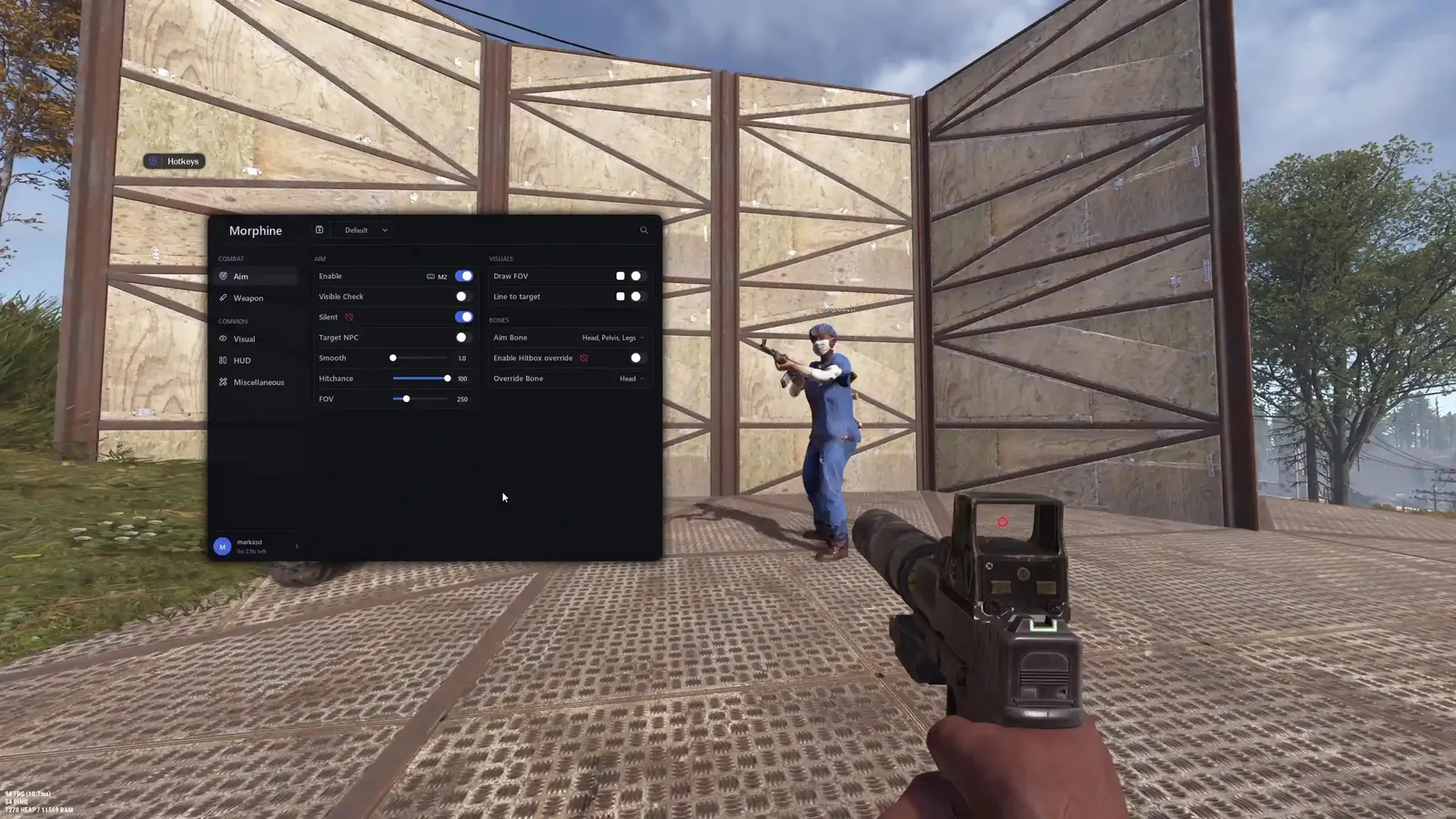
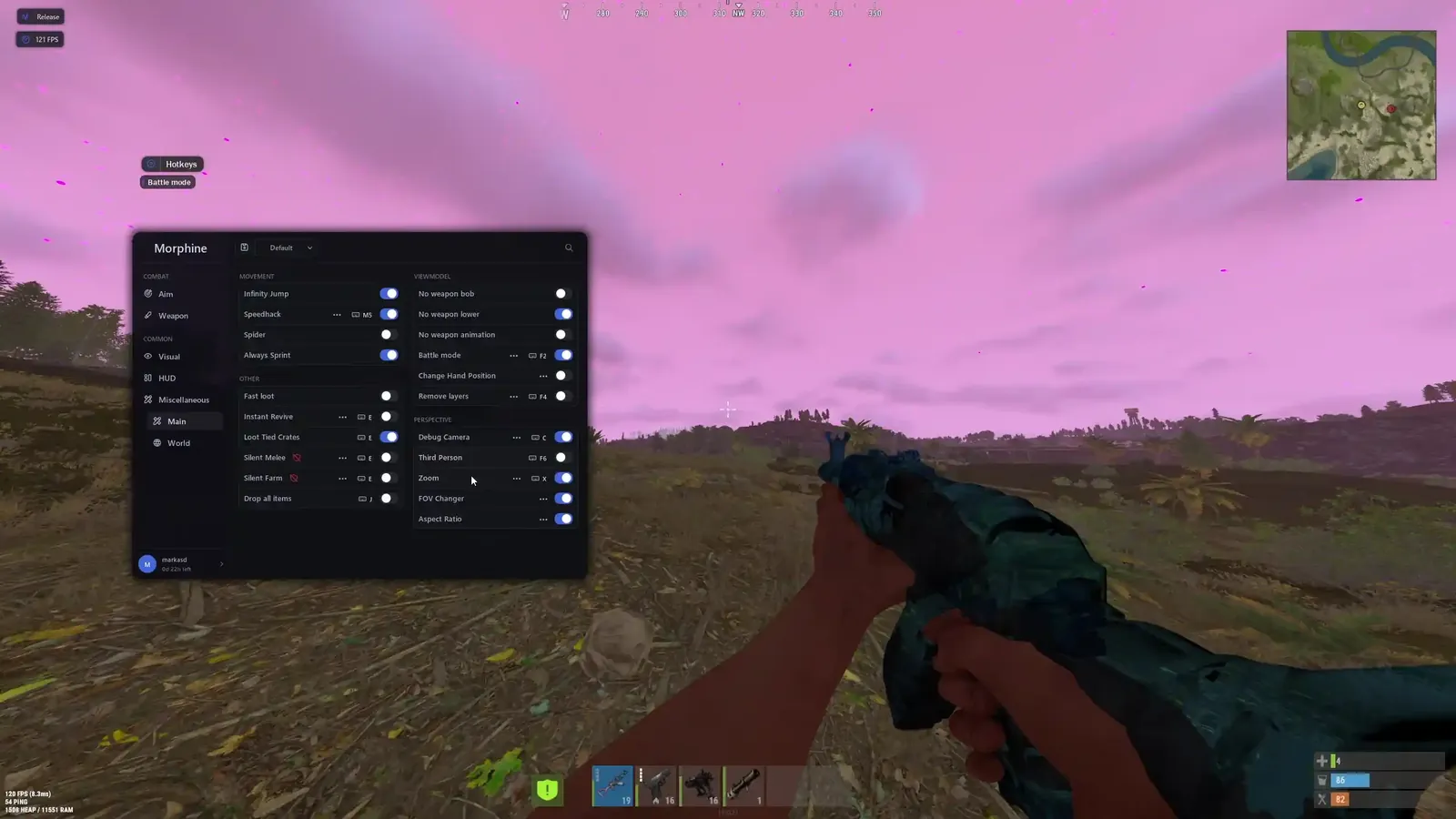
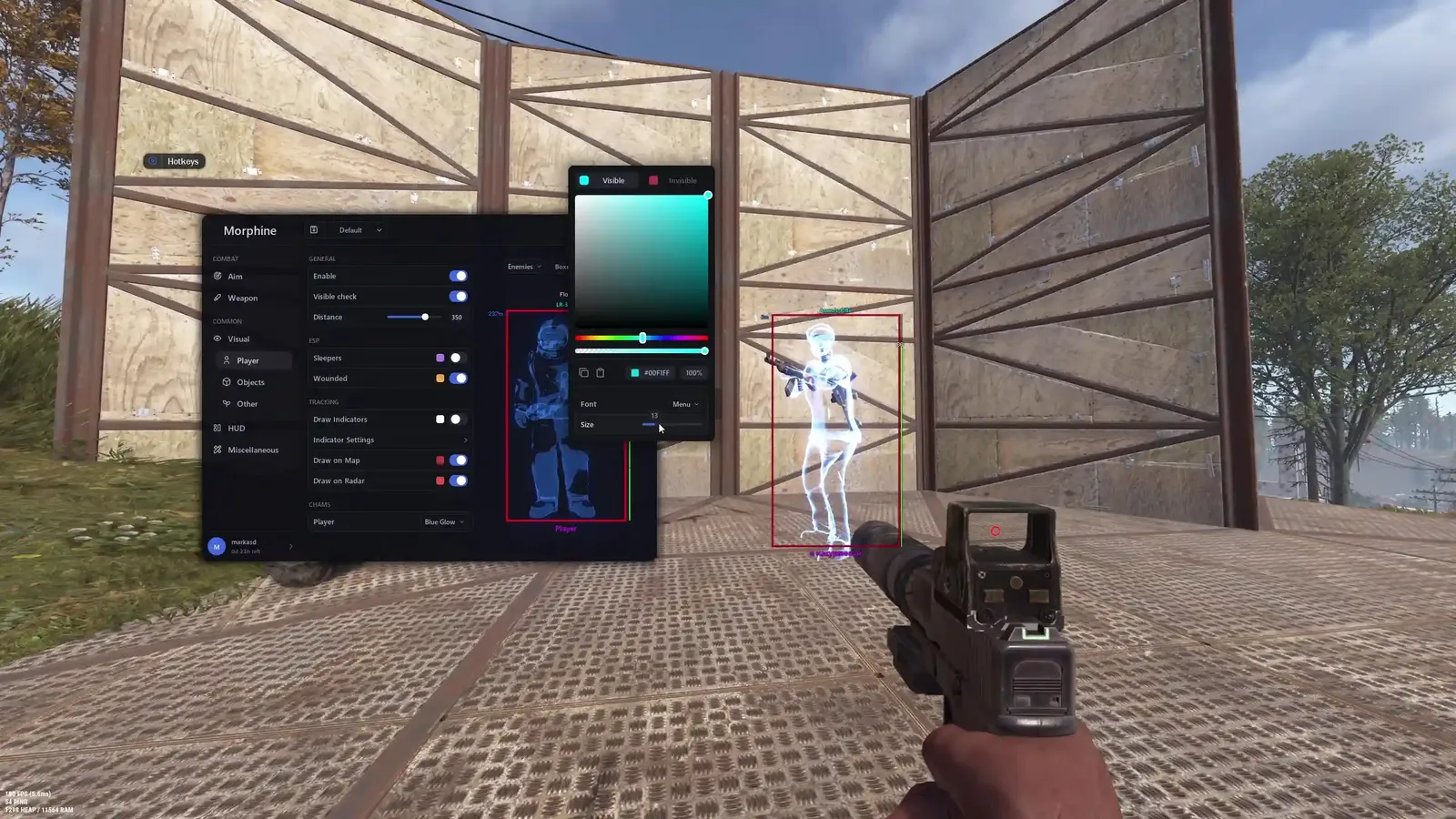
Click a screenshot to open it in full size.
Get your license
- Buy this product on the store and choose your option. The current price is always shown on the product page.
- Your license key is delivered instantly, on the order confirmation page, by email and under My Account → License Keys.
- Redeem the key on the developer's website, mrph.cc, not on the EldroMods store. See Activate your license.
Setup guide
Provided by the EldroMods team
Detailed setup and usage instructions are provided in our Discord community. (This section will be completed by the team.)
Developer links
These links lead to the developer's own sites. EldroMods support stays available on Discord.
Updates & status
Check whether this product is up, updating or down on the Product Status page. See Updates & product status.
Other menus for Rust
Support
Need a hand? Open a ticket on Discord, our team is online 24/7. See also the FAQ and the Refund & Returns Policy.